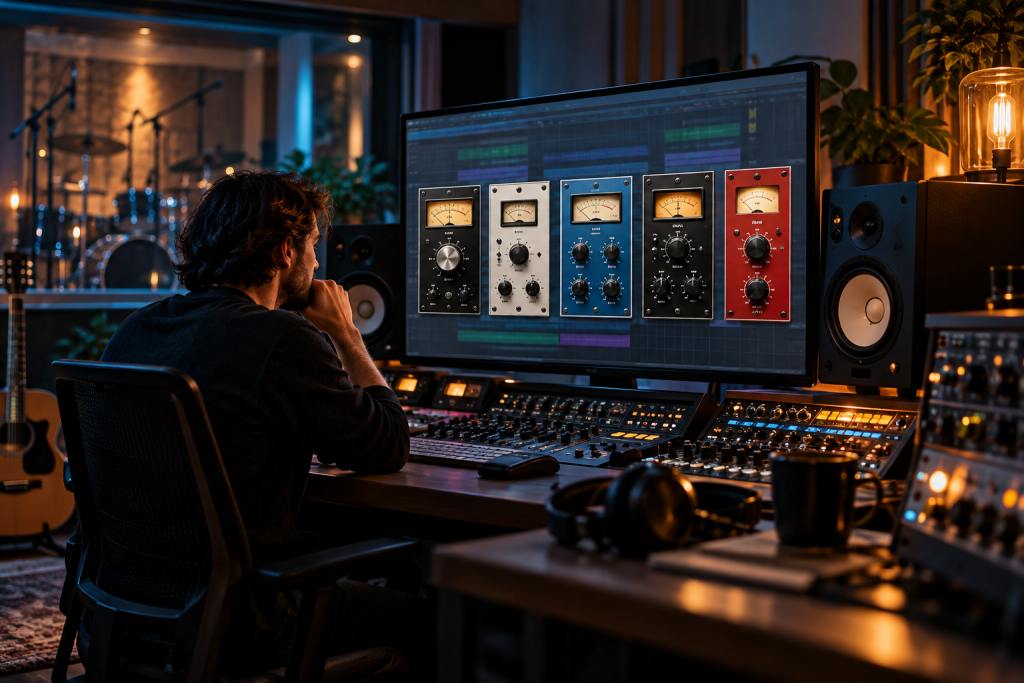
Five compressors, one rule: if I can’t hear what it does to the mix, it comes off the insert. That sounds obvious. But most plugin folders are full of compressors that look busy on the gain reduction meter and give me nothing at the speakers. Here are the five that stay loaded on my template, and why they survive when CPU gets tight and the clock is running.
SSL Bus Compressor emulations: the glue stage
The SSL bus compressor is the one box I miss from every project studio I’ve left behind. Punchy, energetic, and it makes a set of tracks sit like they’re in the same room together. Almost every major developer has an emulation: SSL, Waves, IK Multimedia, Slate Digital, Universal Audio, Cytomic, Native Instruments, and more.
Which version do I actually run? A plain one, set conservatively. Slow attack, fast release, 2:1, a needle that barely moves. That’s the classic glue setting and it has never let me down on a drum bus or a full mix.
Here’s the honest part about “earning its CPU”: SSL-style bus compressors are cheap to run. They’re not the ones that cost you. They earn their place because the job they do (making separate tracks behave like one performance) is the one I’d otherwise do with manual fader rides across twenty channels. On a real session that returns hours.
My one gripe: several emulations are oversaturated with the “aggressive” character out of the box. Dial the make-up gain back and the whole thing calms down. Start quiet, then add.
iZotope Neutron: the surgical option
Neutron’s compressor is not subtle by default. It gives you three modes, Punch, Modern, and Vintage, and the point is shaping micro-dynamics rather than just leveling. I keep it around for the exact opposite role to the SSL: when I need a specific transient or a specific tail tamed, and I don’t want to touch the rest of the signal.
Punch Mode does something genuinely different from a classic VCA design. It leans on the attack portion of the hit and lets the body breathe. On a snare that’s disappearing under a loud mix, it’s the first thing I reach for.
The trade-off is CPU. Neutron is a full channel-strip plugin, and the compressor isn’t free-standing. When I’m mixing on a laptop in a café, it’s a bounce-only tool. On the desktop with a session that’s already stuffed, I’ll use it selectively rather than across every track.
FabFilter Pro-C 2: clean control that doesn’t color
Pro-C 2 does what its reputation says: it compresses without changing the timbre. If I’m working with a vocal and I want the dynamics tamed while the character stays put, this is my default. It’s also the easiest compressor to explain to a student because every parameter is legible.
The interesting part is the algorithm options. The vocal algorithm and the “Upfront” preset will push a vocal to the front of a mix in a way that a simple threshold-ratio compressor won’t. I don’t use presets often, but that one gets modified and kept.
CPU-wise it’s mid-weight. Not free, not expensive. I keep it on the lead vocal and one or two key instruments. If I gave it to every track, it would eat a lot of headroom for something that a cheaper compressor does just as well.
One annoyance: the number of modes is a blessing and a trap. New users can spend an hour auditioning algorithms instead of mixing. Pick clean by default and learn the rest when you hit a problem.
Arturia CompFET-76: the character piece
I’ll be direct: I don’t need a 1176 plugin on every source. But when a vocal needs attitude rather than transparency, the FET-style emulations are the ones that deliver, and Arturia’s take is one of the better ones I’ve used.
What I like: putting this on a vocal with zero compression dialed in still improves the tone. That warm push is doing something before the gain reduction even starts. The sidechain EQ is the feature I actually use: I can pull a specific frequency out of the detection path so a sibilant region doesn’t trigger the whole compressor.
And then there’s the all-in mode. It’s a deliberate over-saturation, which sounds awful on a lead and wonderful on a parallel bus. My workflow now: send the vocal to a parallel channel with a CompFET-76 pinned, blend it under the dry signal, and stop fighting the main compressor to add edge.
CPU cost is modest. It won’t be the reason your session crawls.
Analog Obsession LALA and the case for free
I include this not to pad the list but because the question “is it earning its CPU” deserves a fair answer from a cheap side. LALA is an LA-2A-style optical compressor from Analog Obsession’s large free library. It does smooth, program-dependent compression and it does it well on vocals, bass, and bus work.
What it isn’t: it’s not surgical. It won’t give you a ratio knob or precise attack control. It won’t rescue a badly tracked take. It’s a slow, breathy character piece and that’s the job.
In sessions where I’m mixing for a student or a friend on a budget, LALA often beats a paid plugin I’m using less deliberately. Free is not a moral category, but it does change the calculus. I keep it on a soft acoustic source or a bass in almost every session.
A word on the free option that isn’t compression gear at all
If you’re running a tight rig and want to understand what your compressor is doing, a loudness meter is the tool that actually teaches you. Youlean Loudness Meter 2 has a free tier that covers the LUFS readings you need for streaming targets. It’s not a compressor. It’s the reference that tells you when your compressor choices have gone too far.
What I actually keep on the insert
Five compressors, five jobs. SSL bus style for glue, Neutron for surgical micro-dynamics, Pro-C 2 for clean dynamic control, CompFET-76 for attitude on a parallel bus, LALA for slow character on quiet sources.
Together, they don’t add up to a huge CPU bill. The cheap bus compressors and the free optical one pay for themselves twice over. The two heavier plugins, Neutron and Pro-C 2, are used with intent, not sprinkled.
And what about the “must-have” list of every compressor ever modeled? I’ve tried most of them. Plenty sound nice and plenty cost CPU without a clear reason. If I can’t describe, in one plain sentence, what a compressor does to my mix, it doesn’t go on the template. That’s the whole filter.